

Spot something worth keeping
Save the page while it is still useful, instead of leaving another tab open as a reminder.
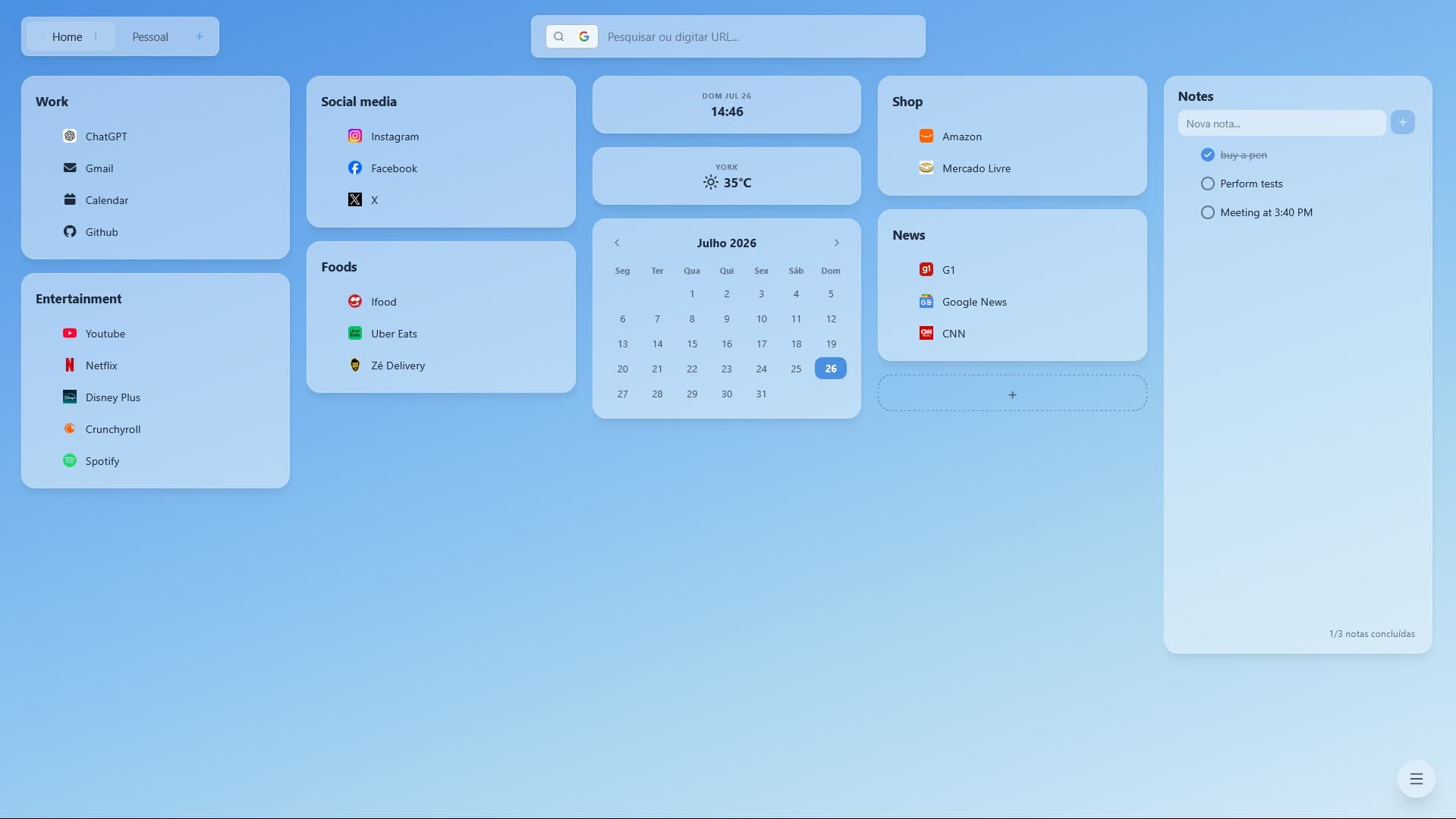
Save any tab, link, or note in one click, and find it instantly on your new tab.


Showing slide 1 of 3
A calmer starting point
Prismi turns the most familiar page in your browser into a small system that keeps your attention where it belongs.
Save the page while it is still useful, instead of leaving another tab open as a reminder.
Drop it into a board for work, ideas, reading or whatever helps you think clearly.
Your collection is waiting in every new tab, ready when the next task starts.

Built around your rhythm
Prismi gives your new tab enough structure to be helpful, while leaving it open enough to become your own.
Keep a board for the work in front of you, another for ideas worth returning to, and one for everything else.
Choose a wallpaper, tune the colors, and add the small utilities that make a new tab feel useful from the first click.
Search saved links or use the built-in search bar without leaving the place where your next task begins.
Simple plans
Start free on one browser, or turn on sync when you want your Prismi workspace on every device.
Free
A focused new tab for keeping your everyday links close.
Pro
Your Prismi workspace, available wherever you open it.
Pro sync is optional. Your Free plan stays private to the browser where you use it.
Prismi is free and open-source. If you find it useful, please give it a star on GitHub to help others discover the project.
If you enjoy using Prismi and want to support its development, consider buying me a coffee. Every contribution helps keep the project alive and growing.
In their words
A few notes from people who made their browser feel more like their own workspace.
“I use a board as a short list for the week. It has made it much easier to close a tab knowing the page is not going anywhere.”
“The import gave me a clean way to sort through years of saved links. I kept the useful ones and finally found a place for the rest.”
“I switch between client work, personal projects and reading lists all day. Separate boards make that context switch feel much less messy.”
Need to know
Everything you need before making Prismi part of your everyday browsing.
Yes. Once the extension is installed, Prismi opens in your new tab. Create a board, add a link and make it yours without registering first.
Yes. The Free plan includes the core Prismi experience with no time limit. It keeps your data in the browser where you use it. Upgrade to Pro only if you want cross-device sync.
Create boards for any context you return to, such as a project, a reading list or everyday tools. Move links between them whenever your system changes.
Pro costs R$ 6,90 per month, with the first month at half price, and syncs your Prismi data so you can access your boards, links and notes from anywhere. Sync is optional and requires an account.
Prismi only takes over the new-tab page. It does not delete bookmarks, change your open tabs or replace the rest of your browser settings.
No. Prismi has no ads or tracking, and it does not sell your browsing data. Your saved links remain under your control and can be exported.
Prismi works on desktop Firefox, Chrome, Edge and Brave. and mobile browsers are not supported.